
Is Salesforce too complex for non-technical Teams?
When non-technical teams struggle with Salesforce, the platform is usually the first thing blamed.
In reality, Salesforce is rarely the problem.
Most situations where teams say “Salesforce is too complex” come from how the system was set up after go-live. Too many fields, confusing screens, and processes that were designed around edge cases instead of real daily work.
Salesforce is meant to look different for different roles. Sales, operations, support, and leadership should not all see the same screens or be asked to do the same things. When they are, even simple tasks start to feel overwhelming.
That is not a Salesforce issue.
That is a setup issue.

Where Complexity Really Comes From
Most Salesforce orgs start out simple.
Then, little by little:
New fields get added “just in case”
Page layouts expand to cover rare scenarios
Validation rules pile up to fix reporting problems
Processes overlap without clear ownership
Each change makes sense on its own.
Together, they create a system where users have to think about Salesforce instead of focusing on their actual job.
Well-designed Salesforce orgs work differently.
Required fields exist only when they are truly needed.
Screens show only what matters in that step.
Processes are built intentionally, not reactively.
When Salesforce is designed this way, non-technical teams do not need to understand Salesforce at all. The system quietly guides them.
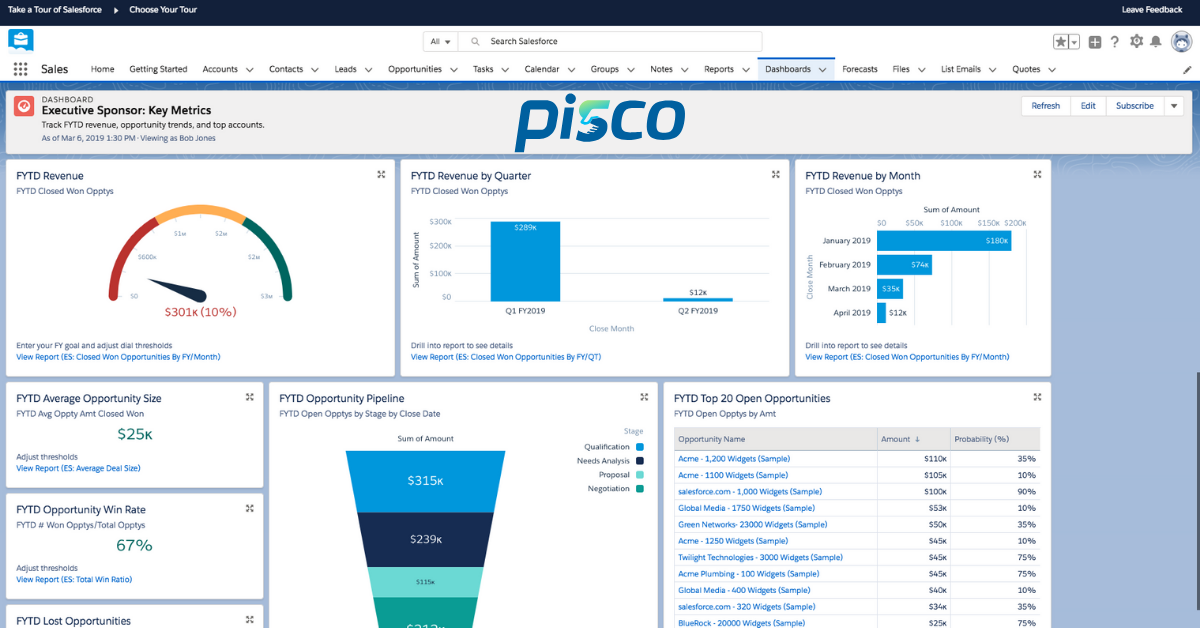
What “Simple” Salesforce Actually Looks Like
The best Salesforce setups are not packed with features.
They are disciplined.
They usually share a few traits:
Clean, role-based page layouts
Only the required fields that matter at each stage
Clear record types so users always know which path to follow
Processes that reflect how the business actually runs
This simplicity does not come from more training or longer documentation.
It comes from removing uncertainty.
When users never have to ask, “What am I supposed to do here?”, adoption improves naturally. Salesforce stops feeling like a database and starts feeling like part of the workflow.
Easy for Teams, Still Valuable for Leaders
A common worry is that making Salesforce simpler for users will reduce reporting and visibility for leadership.
In practice, the opposite happens.
When data is captured intentionally and consistently, reports become more reliable. Leaders get better insight because the right information is entered at the right time, not because users are forced to fill in everything.
If Salesforce feels heavy for your team or unhelpful for leadership, it usually means the setup needs refinement, not that Salesforce is too advanced for your organization.
The Better Question to Ask
Salesforce is not too complex for non-technical teams.
The better question is whether your Salesforce setup protects users from unnecessary complexity while still keeping the data clean and useful.
When that balance is missing, frustration grows.
When it is present, Salesforce does its job quietly in the background.
How PISCO Helps
PISCO, an Equals 11 company, is built for early-stage and growing teams that want Salesforce to feel simple from the start.
Our Quick Start Implementations (QSI) focus on:
Role-based setup from day one
Clean, practical data models
Processes aligned to how your team actually works
Avoiding complexity you do not need yet
For teams that are already live on Salesforce, we also offer ongoing managed services. This includes support, optimization, and governance to help your system evolve without becoming cluttered or fragile over time.
Salesforce does not need to feel heavy or technical.
With the right foundation and ongoing care, it becomes one of the easiest tools your team uses and one of the most valuable systems your business relies on.
Not sure where you stand today?
Book a 20-minute discovery call with a PISCO Salesforce expert. The goal is clarity, not selling, so you can decide what makes sense for your next stage.