
The Salesforce HIPAA Audit Checklist your team is probably missing
Salesforce signed your BAA. Your team thinks compliance is handled. It is not.
The BAA covers what Salesforce does on its infrastructure. It does not cover how your team configured the org, who has access to what, or whether your automations are sending PHI where they should not go. That gap between platform compliance and org compliance is where penalties come from.
For growing SMB and mid-market teams, this gap is wider than it looks. You moved fast. You got Salesforce live. You hired one admin or relied on a part-time resource. Compliance review usually sits at the bottom of the list until something breaks.
HHS does not fine organizations for dramatic breaches most of the time. They're fine for quiet misconfigurations that sit untouched for months or years. A permission set that gives a marketing user access to patient records. A Flow that emails case details to an unencrypted inbox. A report that exports PHI into a CSV sitting in someone's downloads folder.
Each of those counts as a separate violation. At $100 to $50,000 per instance, the math gets ugly fast.
This checklist covers what to audit inside your Salesforce org right now. Not the theory. The actual settings, objects, and configurations that regulators look at.
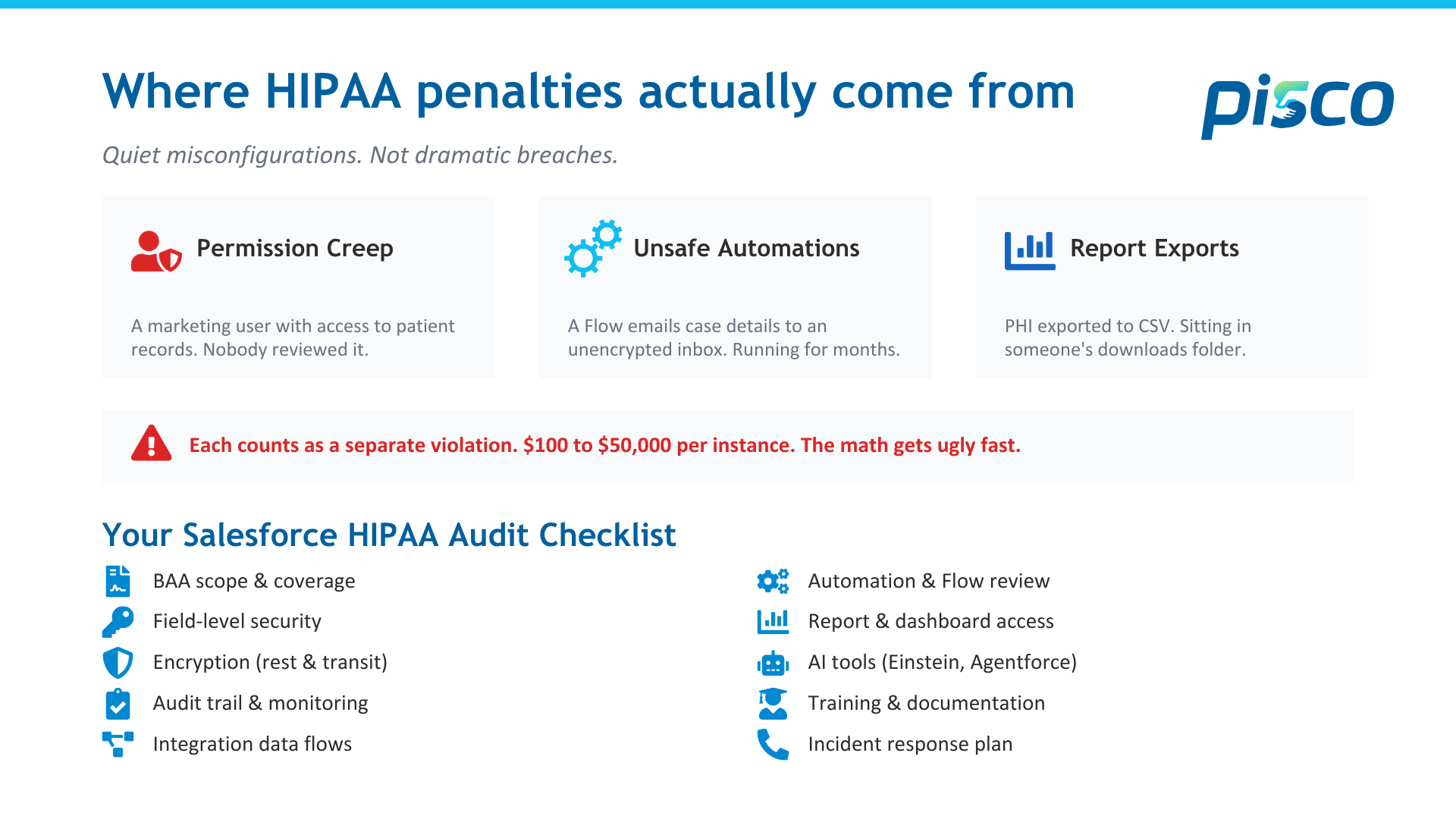
1. BAA scope and service coverage
Your BAA with Salesforce does not cover everything in your org. It covers specific services deployed on Salesforce infrastructure. If you are running a managed package, a third-party integration, or anything deployed outside that scope, the BAA likely does not apply.
Pull your BAA. Read the addenda. Map every service in your org against the covered services list. If something touches PHI and is not on that list, you have a compliance gap.
This is the first thing auditors check. It should be the first thing you check.
2. Field-level security and permission sets
The most common violation pattern in SMB and mid-market orgs is permission creep. A user changes roles. Their old permissions stay. Over time, people accumulate access they no longer need to do their job. Smaller teams feel this faster because one person often wears three hats.
Run a report on every profile and permission set that grants access to objects or fields containing PHI. Compare that list against the current job functions of the people assigned. If someone in marketing can see a medical record number field, that is a violation waiting to be flagged.
Salesforce Health Cloud orgs are especially prone to this. The default configurations are broader than most compliance teams realize.
3. Encryption at rest and in transit
Salesforce provides encryption through Shield Platform Encryption. But Shield is not enabled by default. If you have not purchased and configured it, your PHI fields are stored in plaintext on Salesforce servers.
Check whether Shield is active. Verify that every field containing PHI has encryption enabled. Confirm that your encryption key management follows your organization's retention policies.
For data in transit, Salesforce enforces HTTPS. That covers the connection between the user's browser and Salesforce servers. It does not cover outbound emails, API calls to external systems, or file exports. If a Flow sends a case summary containing PHI via email, the content of that email is not encrypted by Salesforce. That is your responsibility.
4. Audit trail and event monitoring
HIPAA requires the ability to track who accessed PHI, when, and what they did with it. Salesforce provides basic field history tracking and login history. That is not enough for a HIPAA audit.
Event Monitoring captures API calls, report exports, and login forensics. The standard version only retains 30 days of data. HIPAA requires documentation retention for six years.
If you are relying on default Salesforce audit capabilities, you are storing less than 2% of the retention window regulators expect. You need either an extended event monitoring license or an external archival system to close that gap.
5. Integration and data flow mapping
Every integration that touches PHI needs a documented data flow. Where does the data come from? Where does it go? Who can access it at each point? Is it encrypted in transit between systems?
We see SMB and mid-market orgs where three or four integrations move patient data between Salesforce, an EHR, a billing platform, and a marketing tool. In most cases, nobody has a map of the full data flow. Nobody can tell you exactly which fields are transmitted, how they are secured, or whether the receiving system is covered by its own BAA.
If you cannot produce a data flow diagram for every integration that touches PHI, you have an audit gap. Regulators will ask for this. Have it ready before they do.
6. Automation and Flow review
Flows, Process Builder automations, and Apex triggers can move data silently across your org. An automation that worked fine when it was built can become a compliance risk when someone adds a PHI field to the object it references.
Review every active Flow and automation that touches objects containing PHI. Check where the data goes. Does it create a task visible to users without PHI access? Does it send a notification that includes field values? Does it update a record in an object that is not covered by your access controls?
One healthcare client we worked with had a renewal reminder Flow that included a patient condition field in the email body. The Flow had been running for 14 months. Nobody reviewed it after the initial build.
7. Report and dashboard access
Reports are one of the easiest ways PHI leaks out of a controlled environment. A user with report-building access can pull PHI fields into a report, export it to CSV, and download it to an unmanaged device. Salesforce does not prevent this by default.
Restrict report export permissions. Limit which fields are available in the report builder for users who do not need PHI access. Use report-level security to control visibility. Monitor report exports through Event Monitoring to detect unusual download patterns.
If your compliance team cannot tell you who exported PHI reports in the last 90 days, that is a finding waiting to happen.
8. AI tools: Einstein, Copilot, and Agentforce
AI in Salesforce uses your data to generate predictions, summaries, and recommendations. If your data includes PHI, your AI outputs may contain PHI. Every AI-generated field, recommendation, and automated action needs to be evaluated under the same access control and encryption standards as the source data.
Einstein prediction fields inherit the access level of the object they sit on. But the insight summaries generated by Copilot and Agentforce may be visible to users who should not have access to the underlying records. This is a new compliance surface that did not exist two years ago.
Before enabling any AI feature on objects containing PHI, map the output. Who sees it? Where does it display? Can it be exported? If you cannot answer those questions, do not activate it.
9. Training and documentation
Regulators do not just ask what controls you have. They ask whether your team knows they exist. HIPAA requires documented training for every workforce member who interacts with PHI.
In Salesforce terms, every user with access to PHI objects or fields should have documented training on what they can and cannot do. Training should cover access limits, export restrictions, reporting rules, and what to do if they suspect a breach.
Keep training records for six years. If an auditor asks to see proof that a specific user was trained before they accessed a PHI record, you need to produce it.
10. Incident response plan
If a breach happens, you have 60 days to report it to HHS if it affects 500 or more individuals. You also need to notify affected patients and, in most cases, local media.
The organizations that handle this well are the ones that practiced before it happened. Build a response plan that names specific people, specific steps, and specific timelines. Test it quarterly. Document the tests.
The first hour after a potential breach determines the trajectory of everything that follows. If your team has to figure out who to call and what to do in real time, you are already behind.
What to do next
Print this list. Walk through each item with your Salesforce admin and your compliance officer in the same room. Not separately. Together. Most of the gaps we find exist because the compliance team does not understand how Salesforce is configured, and the Salesforce team does not understand what HIPAA actually requires.
That single conversation usually uncovers two or three issues that have been sitting in the org undetected.
For growing teams, the harder problem is what happens after the conversation. You find the gaps. Then nobody has time to fix them. Pisco runs Quick Start Implementations for teams new to Salesforce and Continuum Hypercare for teams that need ongoing management without hiring a full consulting firm. Compliance review fits inside both. Pisco is an Equals11 company, backed by the same frameworks Equals11 uses inside enterprise orgs, delivered at SMB and mid-market speed.
20 minutes to scope it. Get clarity on where your org stands.
Book here → piscocrm.com/contact
FAQs: Salesforce HIPAA Compliance
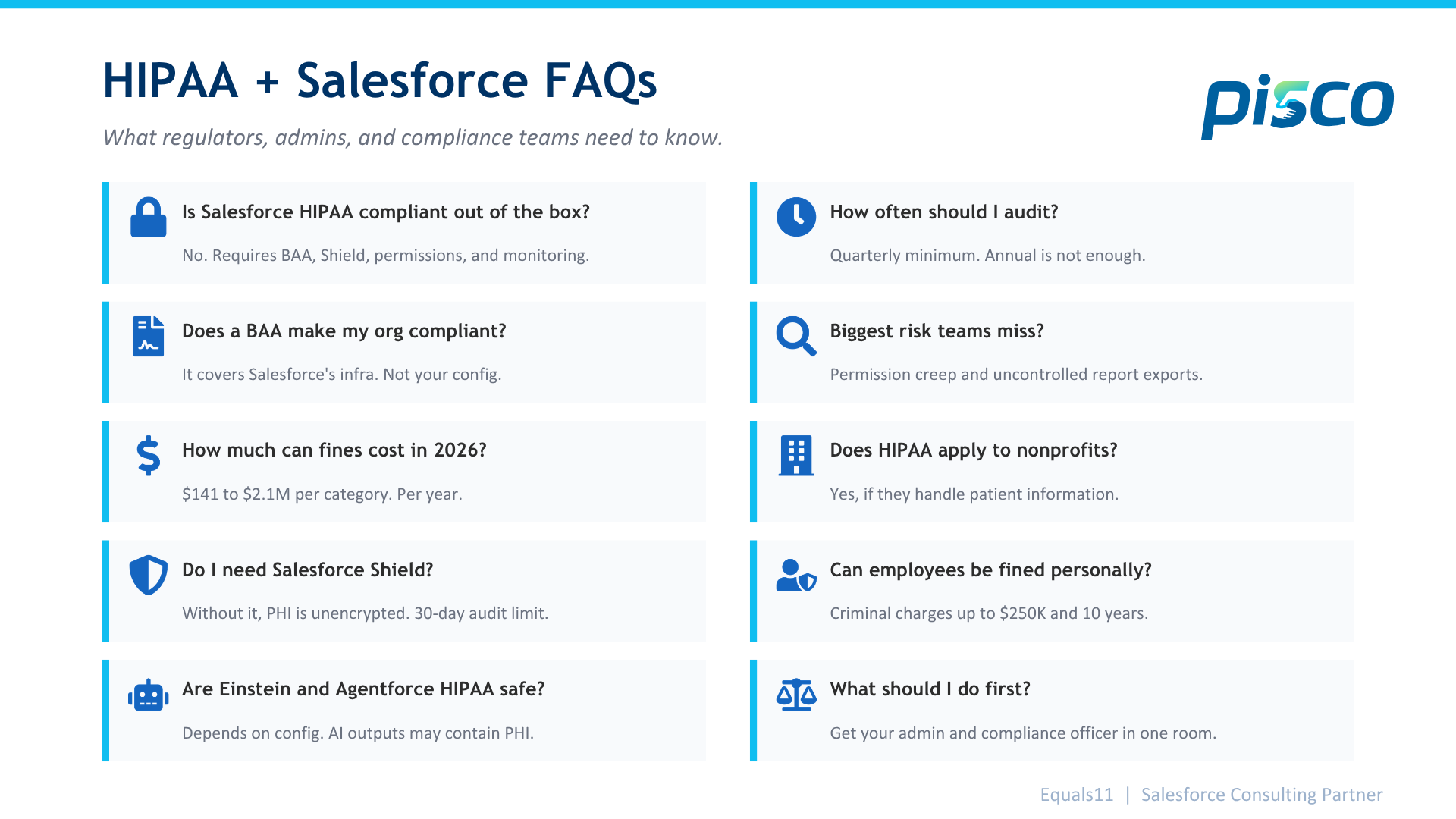
Is Salesforce HIPAA compliant out of the box? No. Salesforce can support HIPAA compliance, but it requires configuration. You need a signed BAA, Shield Platform Encryption enabled, proper permission sets, event monitoring, and documented access controls. The platform provides the tools. Your team is responsible for setting them up correctly and maintaining them.
Does signing a BAA with Salesforce make my org compliant? The BAA only covers specific Salesforce services deployed on their infrastructure. It does not cover how your team configured the org, which users have access to PHI, how your automations handle data, or what third-party integrations do with patient records. The BAA is step one. Compliance is everything after that.
What Salesforce products are covered by the BAA? Salesforce does not publish a standard list. The covered services are defined in the addenda of your specific BAA. They typically include core platform services deployed on Hyperforce. Managed packages, third-party apps, and anything deployed in your own environment are usually excluded. Contact your Salesforce account team for the exact scope.
How much can HIPAA fines cost in 2026? Civil penalties range from $141 to $71,162 per violation, depending on the level of negligence. Annual caps reach $2,134,831 per violation category. A single misconfigured permission that exposes PHI across multiple records can be counted as multiple violations. Seven-figure penalties do not require a dramatic breach. They come from quiet, persistent misconfigurations.
Can individual employees be fined for HIPAA violations? Civil penalties are assessed against the organization. But the Department of Justice can pursue criminal charges against individuals who knowingly access or disclose PHI without authorization. Penalties include fines up to $250,000 and up to 10 years in prison.
What is Salesforce Shield, and do I need it for HIPAA compliance? Salesforce Shield provides platform encryption, event monitoring, and field audit tracking. Without it, PHI fields are stored unencrypted. The standard event monitoring only retains 30 days of data. HIPAA requires six years of documentation. If your org handles PHI, Shield or an equivalent archival solution is a practical requirement.
Are Salesforce AI tools like Einstein and Agentforce HIPAA compliant? That depends on your configuration. AI tools use your data to generate predictions and recommendations. If the source data includes PHI, the AI outputs may also contain PHI. Those outputs need the same access controls and encryption as the source records. Copilot and Agentforce summaries can surface to users who lack access to the underlying data. Map every AI output before you enable it on PHI objects.
How often should I audit my Salesforce org for HIPAA compliance? At a minimum, quarterly. Permission sets drift as people change roles. Automations get updated without a compliance review. New integrations get added without data flow documentation. A quarterly audit catches issues before they compound into findings. Annual audits are not frequent enough for orgs where multiple people make configuration changes.
What is the biggest HIPAA risk in Salesforce that smaller teams miss? Permission creep and report exports. Users accumulate access over time. Nobody removes old permissions when someone changes roles. Users with report builder access can pull PHI into a CSV and download it to an unmanaged laptop. Both are quiet risks that persist for months or years before anyone catches them. They get worse in smaller teams where one person owns the org, and nobody else looks at it.
Does HIPAA apply to nonprofit organizations using Salesforce? If your nonprofit handles PHI in any capacity, yes. Healthcare nonprofits, community health organizations, and any nonprofit that stores or transmits patient information are covered entities under HIPAA. The rules are the same regardless of organization size or tax status. Free Salesforce licenses through the Power of Us program do not exempt nonprofits from compliance requirements.
What should I do if I think my Salesforce org is not HIPAA compliant? Start with an internal audit using the checklist above. Get your Salesforce admin and your compliance officer in the same room. Map your BAA coverage, review permissions, check encryption, and document your data flows. If you need external support, Pisco helps SMB, mid-market, and nonprofit teams stand up compliant Salesforce orgs in 4 to 6 weeks and manages them through Continuum Hypercare. Pisco is an Equals11 company. Schedule a discovery call at piscocrm.com/contact.